












PHOTOMOD GeoMosaic
8.1.5504 ×64
8.1.5504 ×64
A program for creating from georeferenced raster images a single, seamless, homogeneous in brightness mosaic of high geometric accuracy.
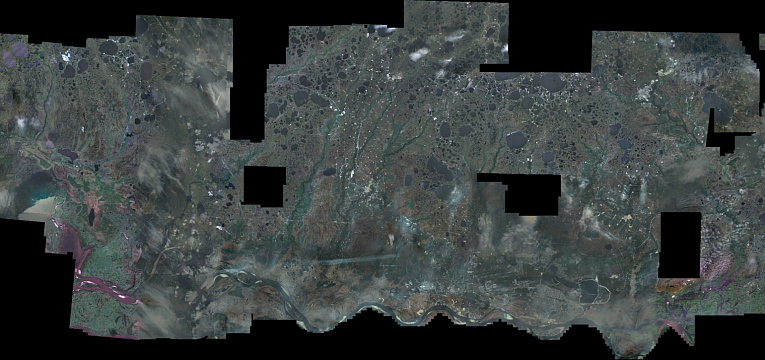
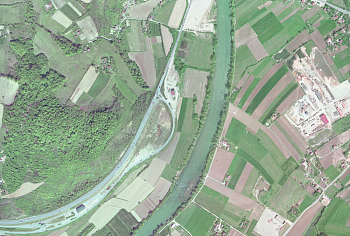
PHOTOMOD GeoMosaic is intended for working with various types of georeferenced digital images, including aerial and space imagery as well as digitized raster maps. You can make georeferencing of raster images, using productivity tools of PHOTOMOD GeoMosaic.
Creating high-precision mosaics from any number of orthorectified images (tens of thousands source images can be processed).
Radiometric image enhancements (filters, color/brightness/contrast balancing, histogram adjustment, etc.). Pan-Sharpening. DustCorrect.
Fully automatic and manual seam line creation algorithm respecting object outlines and image discontinuities for the highest quality of target mosaic.
Single sheet creation (sheet border can be defined by user as well as it can be like imagery block outline). Automatic slicing into sheets using image outlines. Automatic slicing mosaic into user defined sheets.
| Operating systems |
Windows 8.1/10/11 x64 Astra Linux 1.7.x/1.8.x ALT Linux 10.4 RED OS 8.0 AlterOS 9.6 |
| CPU | Intel Core i/Xeon with a clock frequency 3,00 GHz and higher |
| RAM | 128 Gb (8 Gb per 1 core) |
| SSD/HDD |
4 Tb (SSD: min 500 Gb), including RAID-arrays and storage servers |
| Display | Professional stereomonitors like Planar, StereoPixel LcReflex |
| Graphic cards |
Recomended Nvidia Quadro T1000. Due to Windows 10 updates drivers of outdated video cards Nvidia Quadro are not supported anymore. Outdated video card series are those that are not produced any longer, such as Quadro FX, Quadro K, Quadro M and Quadro fr om 410 to 6000 (without letters). The main disadvantage of those video cards is that they do not have the page-flipping stereo regime in the PHOTOMOD programme. Some cards of these series still have the stereo mode available for PHOTOMOD software, however it is likely to become unavailable after Windows 10 updates. In order to avoid problems while in the stereo regime, we recommend using video cards of Quadro T, Quadro P and Quadro RTX series. No issues have been detected while in the stereo regime for any video cards in case of using Windows 7. |
USB port should be available for hard lock key (for local PHOTOMOD version), or network connection to a server where the key is installed if network PHOTOMOD version is being used.